Do you carry chilled or frozen food in Belgium? Before your first job, your business has to be registered with the AFSCA, the Belgian Federal Agency for the Safety of the Food Chain (FASFC in English). This guide is for couriers working in Belgium; if you work in the UK, it does not apply to you. Registration is free and takes 7 steps, which this guide follows screen by screen.
Is it compulsory?
Yes, for refrigerated transport of food to businesses: restaurants, shops, supermarkets, wholesalers. Every operator in the food chain must be known to the AFSCA before starting their activity (Royal Decree of 16 January 2006), and temperature-controlled transport is one of those activities.
Shippr asks for it on every temperature-controlled job. Without proof of registration, none of those jobs can be assigned to you.
An operator who is not registered can be sanctioned during an inspection. The good news: this is a simple registration, not an approval. It is free and needs no prior visit from the AFSCA.
The 7 steps at a glance
- I check whether I am already registered.
- I find my activity on My FASFC Operator.
- I pick activity ACT 353 and download its technical sheet.
- I send my application, to my local control unit or online.
- I receive my registration certificate.
- I pay the annual contribution.
- I send the proof to Shippr.
Step 1: check whether you are already registered
Open Food Hygiene Professional, the AFSCA’s public search tool, and type your company number (the 10 digits of the Crossroads Bank for Enterprises). Do not confuse it with the “Food Hygiene Rating” tab, which only lists businesses open to the public.
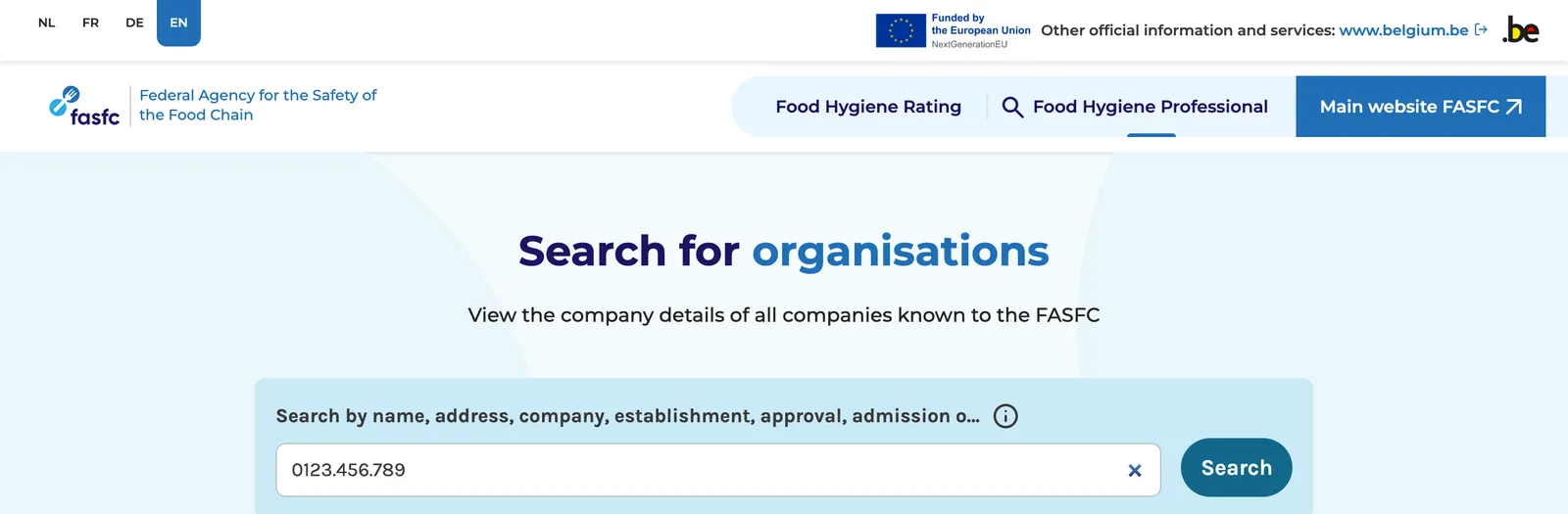
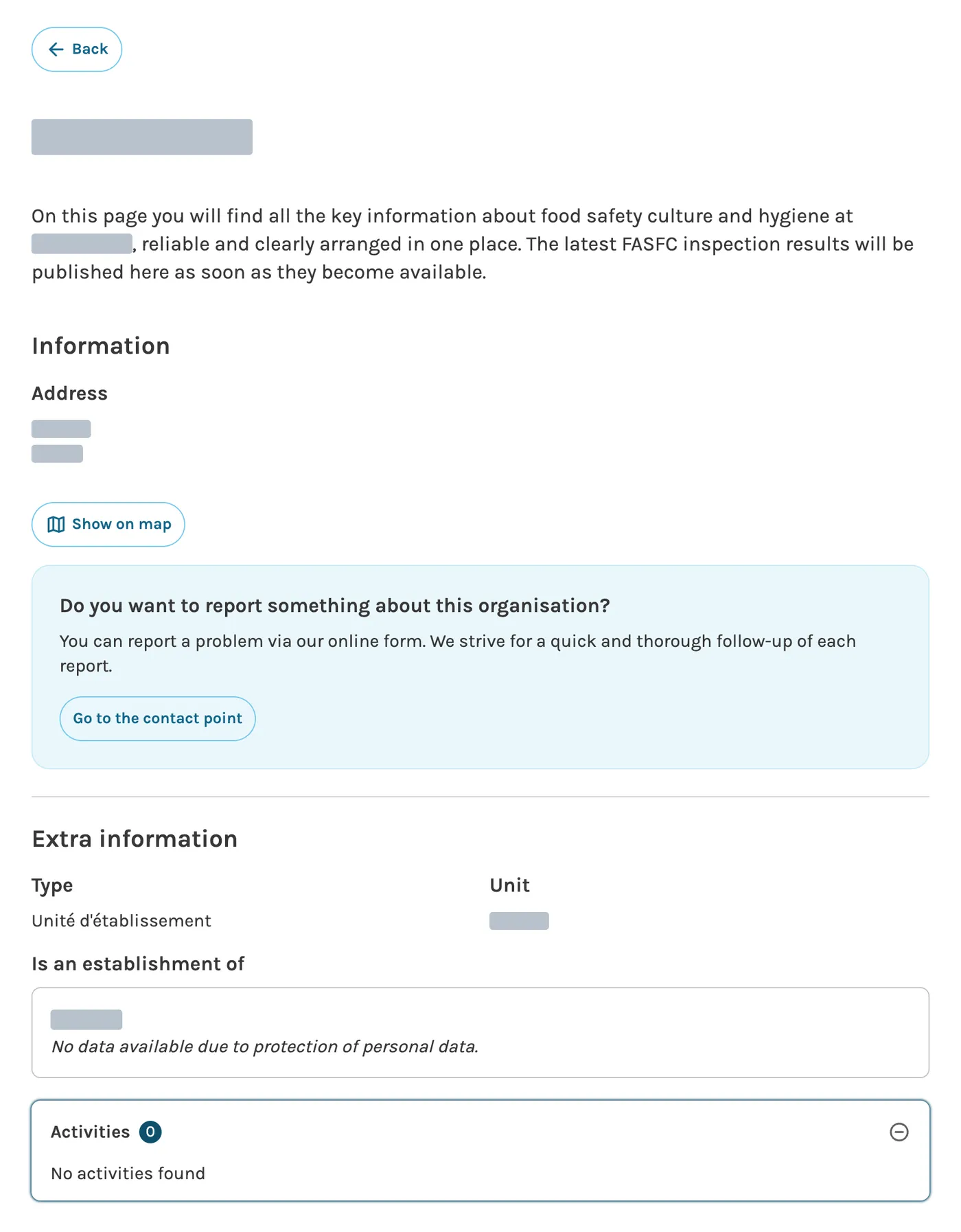
Click your company in the results, then open the Activities section of its page.
You are registered if it shows “Transport of foodstuffs under controlled temperature and/or atmosphere – Registration”. Go straight to step 7.

You are not registered if the page has no Activities section, if it says “No activities found”, or if the activity listed is not transport. The AFSCA knows your company, but it is not registered for what you do: follow steps 2 to 7.
Step 2: find your activity on My FASFC Operator
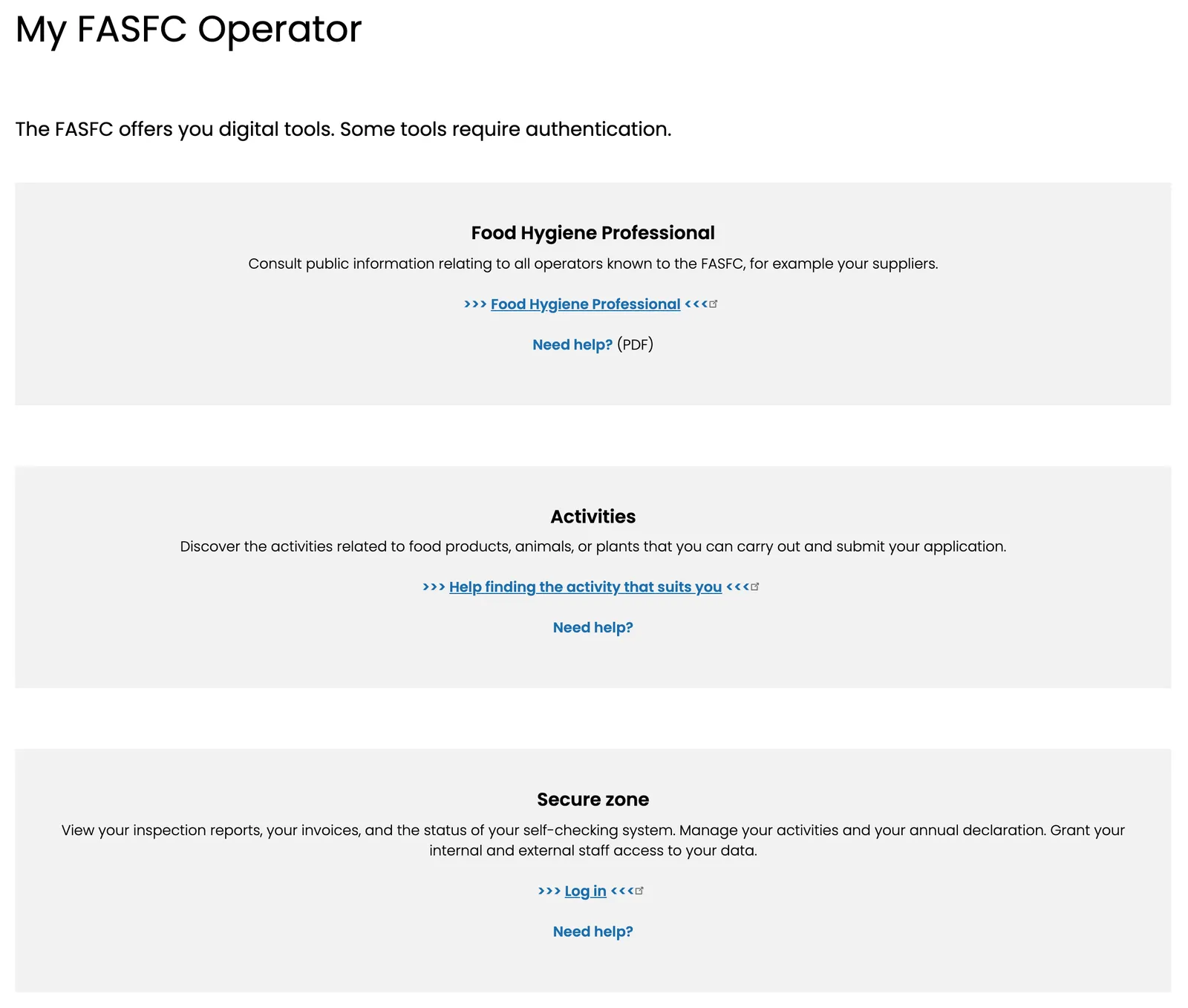
On the AFSCA website, the My FASFC link at the top right leads to My FASFC Operator. Two of its sections concern you:
- Activities, if you are not registered yet: the “Help finding the activity that suits you” link opens the activity finder.
- Secure zone, if you already are: it holds your certificate and invoices, and lets you add or change an activity.
- Click “Start my application”.
- Choose “Company”, then “Next step”.
- Choose “I know the correct description or LAP code for my activity”.
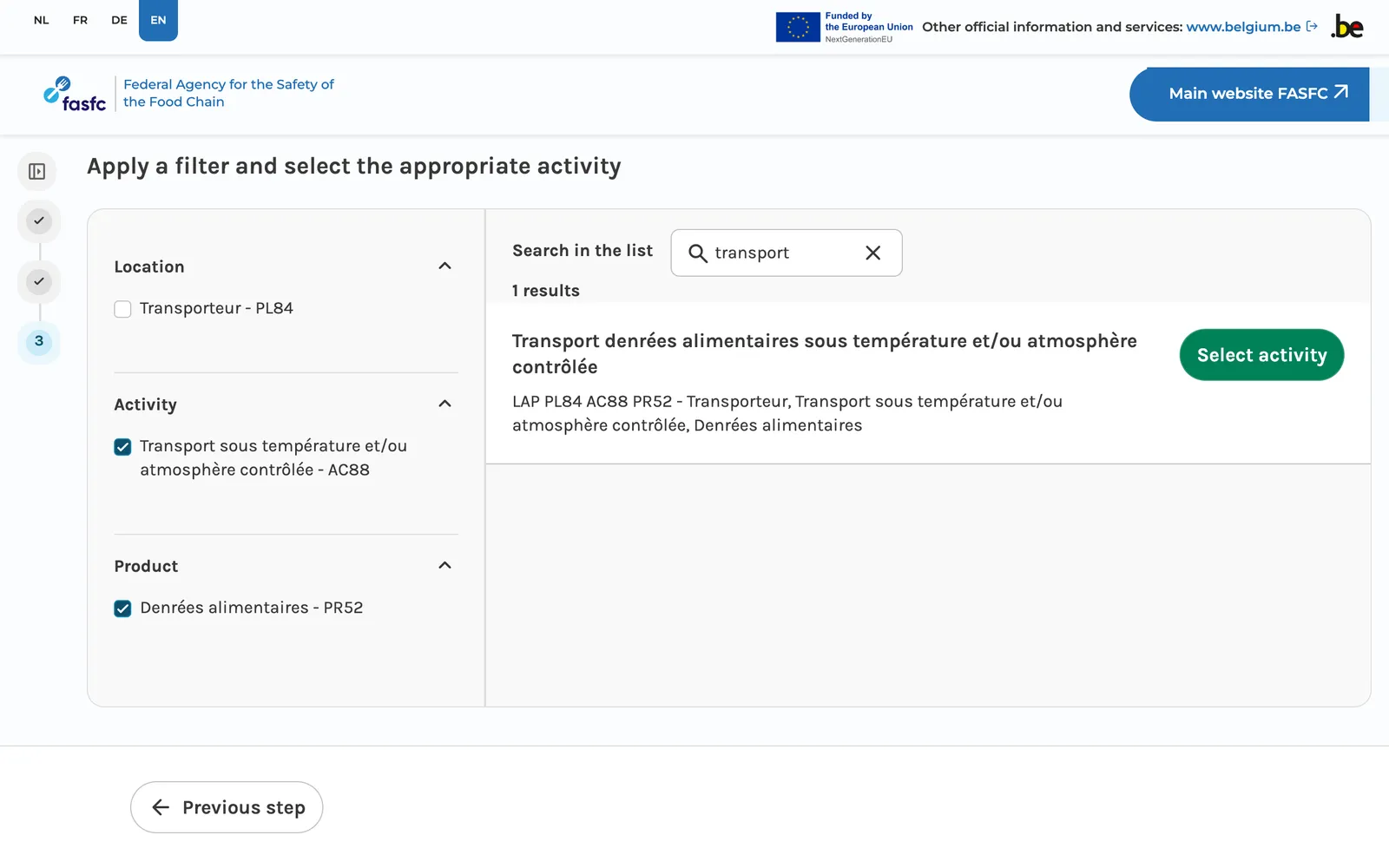
- Type “transport” in “Search in the list”, then tick Transport sous température et/ou atmosphère contrôlée – AC88 and Denrées alimentaires – PR52. The English interface still shows the activity names in French.
Step 3: pick activity ACT 353 and download its sheet
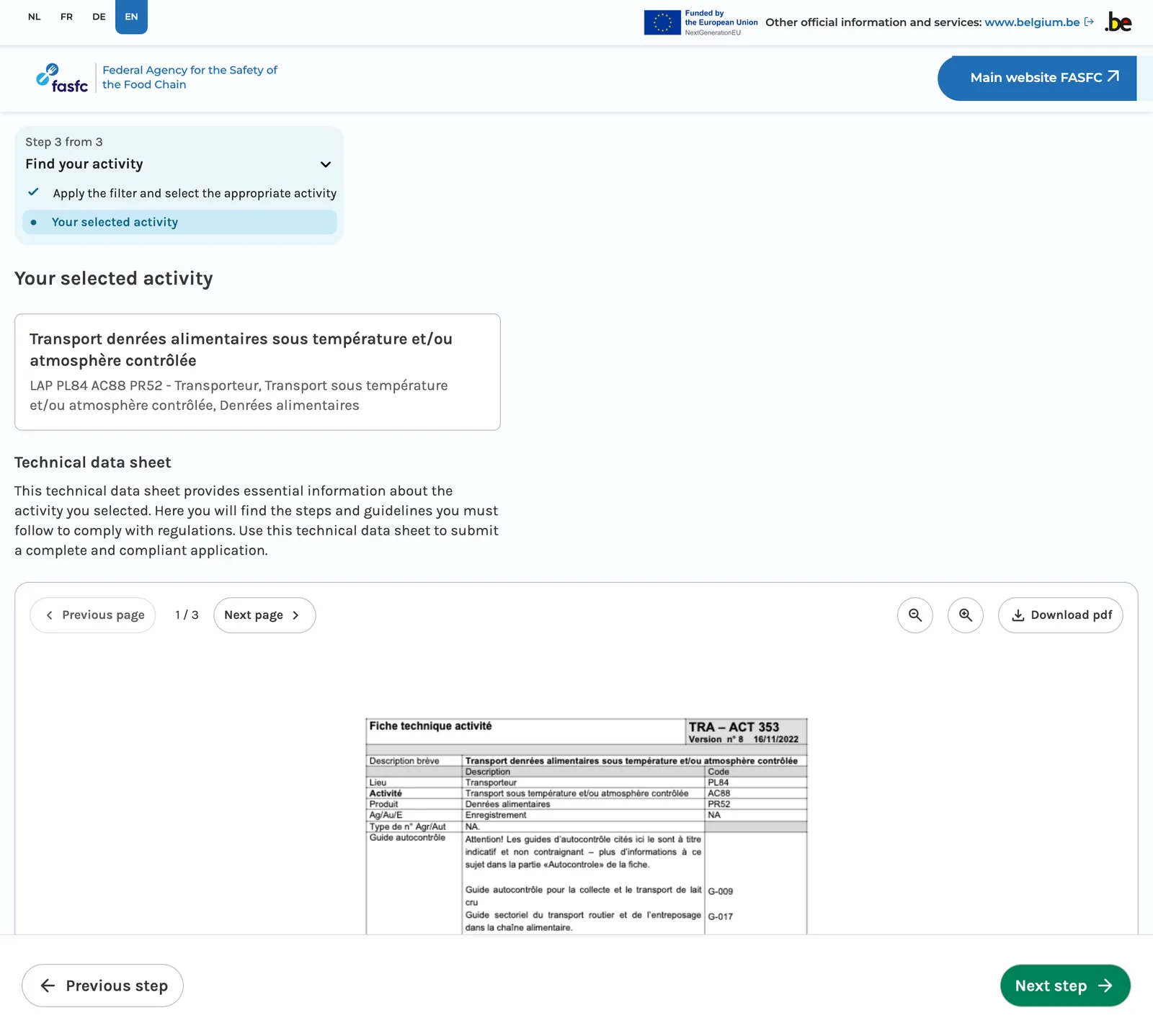
The result is Transport denrées alimentaires sous température et/ou atmosphère contrôlée, LAP code PL84 AC88 PR52. Click “Select activity”.
Do not pick “Transport t° ambiante denrées alimentaires” (AC87): ambient-temperature transport is already included in the temperature-controlled activity, not the other way round.
The technical sheet TRA – ACT 353 appears. Click “Download pdf” and keep it: you will need it in the next step. Then “Next step”. The sheet exists in French and Dutch only.
Step 4: send your application
The tool offers two routes, depending on whether your company already has an activity with the AFSCA.
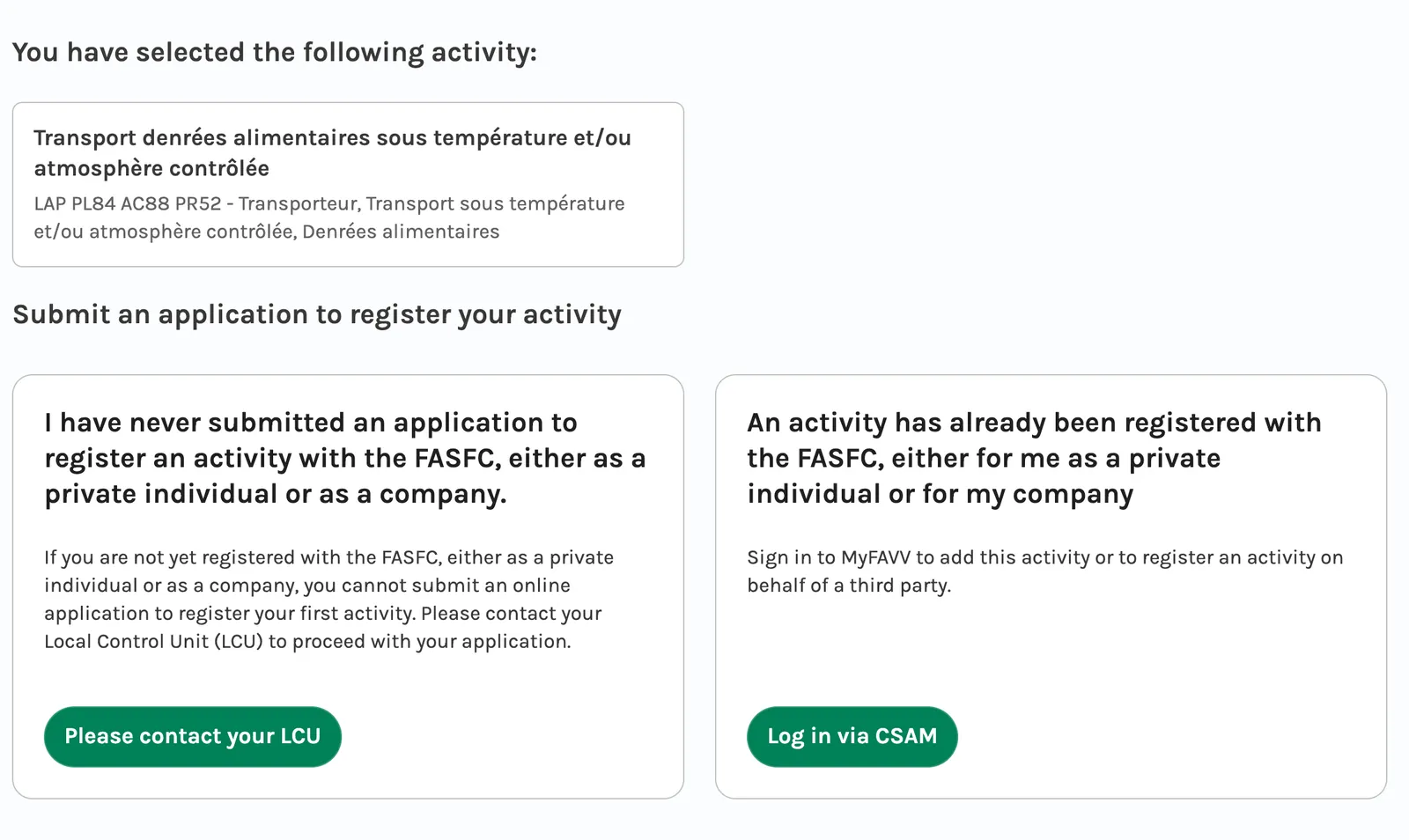
- This is your first activity with the AFSCA: the application cannot be made online. Send the registration form, with the technical sheet, to the local control unit of your province, by email or by post. Both pages are in French; the Dutch versions are linked from them.
- Your company is already known to the AFSCA: log in to the secure zone with your eID or itsme, and add the activity online, attachments included.
Step 5: receive your certificate
The AFSCA sends you a registration certificate with your registration number. The activity then appears on your page in Food Hygiene Professional.
Keep that certificate: it is the document you will be asked for during an inspection.
Step 6: pay the annual contribution
Registration is free, but the AFSCA invoices its operators an annual contribution (page in French).
- In your first year, you automatically receive a “starter” invoice: a flat €51.36 for an activity that only needs registration (2026 rate).
- In the following years, transport is charged on the number of consignments of the year before, based on the declaration you file in My FASFC.
Step 7: send the proof to Shippr
As soon as your application has gone, send the proof of submission or posting to the AFSCA to support@shippr.io. Once the registration is confirmed, send:
- the registration certificate, or a dated screenshot of your Food Hygiene Professional page showing the transport activity;
- with a company number that matches the one on your invoices to Shippr.
Every year, Shippr will ask you for proof that the registration is still in place.
Need help?
- The AFSCA answers on +32 2 211 82 11, and your province’s local control unit can guide you through the application.
- Business counters (UCM, Partena, Securex…) can help you with the paperwork: their official list is kept by the FPS Economy.
All set? Join Shippr as a refrigerated courier.